



Google Maps is usually best for familiar navigation, exact location checks, and practical context. A custom interactive location map is better for curating the destinations, districts, travel relationships, and lifestyle story that help a buyer understand why a project matters. For most real estate developers, the strongest website uses both: a branded map for explanation and a trusted map service for verification and directions.
The decision should begin with the buyer’s question, not the technology. Someone may want to know whether a project is close to a station, how the district connects to the rest of the city, or which schools and parks shape daily life. Another visitor may simply want to confirm the address and get directions to a sales gallery. Those are different jobs, and one map rarely handles both equally well.
A controlled eye-tracking study of property listings found that participants spent more than 95% of observed attention on visual elements such as images, floor plans, and location maps. That result is directional rather than universal, but it reinforces the commercial point: the way location is presented can shape how quickly a buyer understands a property.
First define the job the map must do
A project map should answer one primary question quickly. Common jobs include:
- Confirm the project’s exact location.
- Explain access to roads, transit, schools, retail, parks, or employment districts.
- Show the relationship between a building, a masterplan, and future phases.
- Help a buyer compare travel times or daily routes.
- Make a neighbourhood or waterfront, district, or skyline part of the project story.
- Guide a visitor to a sales gallery, show home, or construction site.
If the main job is navigation, a familiar map is usually the safer choice. If the main job is positioning, a custom layer can do more. If both jobs are important, design them as two linked experiences instead of forcing one interface to become an overloaded compromise.
When Google Maps works best
Google Maps is a strong utility layer because many people already understand its controls, place search, route logic, and visual conventions. It can help a buyer:
- Verify an address independently.
- Check the surrounding street network and points of interest.
- Get driving, walking, cycling, or public-transport directions where available.
- Share a location with a partner, broker, or family member.
- Find a sales gallery or schedule a visit without learning a new interface.
The Google Maps Embed API can be useful when a developer needs a relatively simple map on a page. More advanced experiences can use the Google Maps JavaScript API, subject to implementation, billing, attribution, privacy, and product terms.
A familiar map also provides a useful trust signal. Buyers may be sceptical of a highly stylised map that makes a distant destination appear next door. Giving them a practical way to inspect the surrounding context helps the project story feel grounded.
When a custom interactive map works best
A custom map is valuable when location is part of the product narrative. It can simplify a complex area, highlight a selected set of destinations, and use the project’s visual language instead of a generic basemap.
Custom maps are particularly useful for:
- Masterplanned communities with several phases or precincts.
- Waterfront, golf, resort, or mixed-use projects where zones matter.
- Projects whose value depends on a relationship to a skyline, business district, cultural area, or landscape.
- Developments with several towers, entrances, amenities, or unit orientations.
- Investment or lifestyle campaigns that need to explain a district rather than only show an address.
- Sales presentations where an interactive map needs to sit beside unit selectors, renders, and payment information.
The strongest custom map is not an illustrated list of every nearby business. It is a focused explanation of the relationships the buyer is trying to understand.
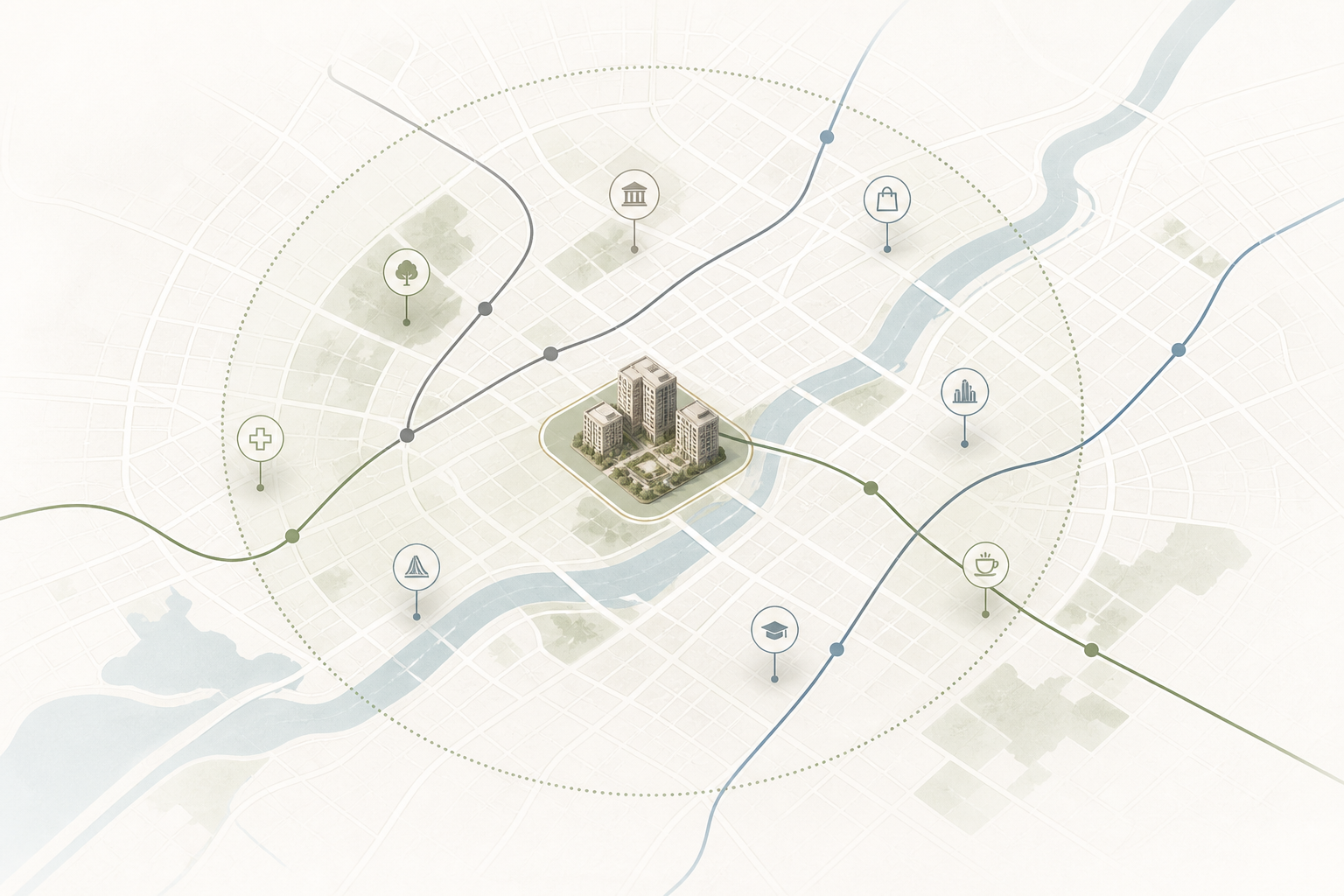
Use curation to reduce cognitive load
A map becomes less useful when every restaurant, school, hospital, attraction, road, and future project is visible at once. Prioritise the destinations that matter to the specific buyer and give them a reason for inclusion.
A useful hierarchy might include:
- Project and immediate arrival: entrance, parking, sales gallery, waterfront, lobby, or main boulevard.
- Daily life: grocery, schools, healthcare, parks, childcare, fitness, and local services.
- Mobility: highways, transit stations, airports, ferry links, and cycling routes.
- Lifestyle and identity: cultural venues, restaurants, beaches, trails, business districts, and landmarks.
- Future context: planned infrastructure or phases, clearly labelled as proposed or under development.
Each layer should have a clear visual treatment and a short explanation. Use icons sparingly, group related points, and offer a list view so that the map is not the only way to access the information.
Treat travel time as evidence, not decoration
“Ten minutes from downtown” can mean different things depending on the mode, time, season, and traffic. If a project page shows drive times, transit times, or walking distances, the source and assumptions should be clear.
A custom experience can communicate travel relationships through a simple route, an isochrone, or a comparison card. An isochrone shows the area reachable within a given time from a point, which can be more meaningful than a simple radius. Research on isochrone maps in real estate explains why actual travel time can offer a better view of accessibility than straight-line distance.
For dynamic information, connect the experience to an appropriate routing or transit data source and define how often it is updated. For static marketing copy, use cautious phrasing such as “approximately” and provide the date or conditions when necessary. Never imply that a future rail line or road is operational if it has only been announced or proposed.
A hybrid pattern usually serves buyers best
For many projects, the ideal structure is simple:
- Custom map first: explain the project, its districts, selected destinations, travel relationships, and visual story.
- Practical map second: let visitors verify the address, inspect the surrounding streets, and get directions.
- List and text alternatives throughout: give every important destination a readable name, distance, and explanation.
- Linked actions: connect a point to a gallery, amenity, render, unit type, appointment, or route.
This pattern separates persuasion from verification without making the buyer choose between them. A custom map can make a location memorable. A familiar map can make it credible and actionable.
MARKETIKA’s real estate project portfolio includes project websites, interactive 3D, and sales tools that show how location can connect to a broader digital experience. Its expertise in web design, interactive web 3D, and virtual tours is relevant when the map needs to work alongside a masterplan or unit-selection system. The 3D visualisation perspective for real estate developers is also useful when the surrounding city, tower cluster, or masterplan needs to be understood visually. For broader strategy and digital execution, see MARKETIKA’s agency practice.
Design for mobile, accessibility, and fallback states
A map that looks impressive on a large screen can be difficult to use on a phone. Test it with touch targets, reduced motion, slow connections, and one-handed use. Avoid requiring hover, tiny markers, or a complicated gesture to reveal essential information.
Accessibility needs more than a high-contrast basemap. Provide keyboard access to controls and markers, visible focus states, descriptive labels, text alternatives, and a readable list or table of key locations. The W3C Web Content Accessibility Guidelines 2.2 provide the general framework, while a 2025 study on accessible thematic web maps notes that map libraries often need additional implementation work to support keyboard and assistive-technology users.
A fallback is not a failure. If the map does not load, the page should still show the address, a static or linked map, a list of key destinations, and clear directions. A buyer should never lose the essential location information because a script was blocked or a network connection was slow.
When a custom map is worth the investment
A custom map is more likely to justify its cost when it does a job a standard embed cannot. Consider the investment when:
- The project has a meaningful masterplan, multiple phases, or several arrival experiences.
- Location is central to the positioning and sales narrative.
- Buyers need to compare districts, views, routes, or amenities.
- The map will be reused in paid campaigns, sales galleries, broker presentations, and virtual appointments.
- It connects to other interactive tools such as unit selectors, virtual tours, or live availability.
- The developer can maintain the data and update future infrastructure claims.
A simple project with a clear address may only need an embedded map and a well-written location section. Adding a bespoke experience to every page can slow the site, increase maintenance, and distract from the decision.
A practical implementation plan
- Interview sales and buyers. List the location questions that repeatedly slow down conversations.
- Choose the primary job. Decide whether the first experience should explain, verify, navigate, or compare.
- Create a location data model. Define project coordinates, destinations, categories, travel assumptions, source dates, and ownership.
- Prototype the information hierarchy. Test a small set of layers and destinations before commissioning a full visual system.
- Build the hybrid journey. Pair the custom experience with a practical map, list view, accessibility support, and clear CTAs.
- Measure useful actions. Track map opens, layer use, destination views, route requests, appointments, and qualified enquiries, not only time on page.
- Set an update process. Assign responsibility for availability, infrastructure, travel-time assumptions, and content review.
Frequently asked questions
Should a custom map replace Google Maps entirely?
Usually not. Use the custom experience for project storytelling and curated context, then provide a familiar map for verification and directions.
Can a real estate map show drive times?
Yes, but dynamic travel times need an accurate source and clear assumptions. If the information is approximate or static, label it accordingly and avoid presenting it as a guarantee.
Are 3D city maps worth it?
They can be valuable when skyline, views, a masterplan, topography, or multiple landmarks are central to the decision. They are unnecessary when a simple address and route answer the buyer’s question better.
What should happen if the map does not load?
Keep the address, text directions, destination list, static or linked map, and appointment CTA available. The map should enhance the location explanation, not become the only source of it.
Final takeaway
Use Google Maps for utility and a custom interactive map for communication. The most effective project websites combine a branded explanation of place with a trusted way to verify location, route, and surroundings. The result is not a decorative map. It is a clearer buyer journey, where the project’s story feels distinctive and the underlying facts remain easy to check.