



Direct answer: A broker portal is worth building when a project depends on external agents, inventory changes quickly, or the developer needs one controlled place for pricing, availability, floorplans, sales assets, commission information, and project updates. The value is not the login screen. It is the reduction of information friction between the developer, broker, and buyer.
For a developer launching in Dubai, Toronto, Miami, Vancouver, or another competitive market, the broker network may be the project’s largest distributed sales team. That team can only sell confidently when it has current information and knows which version to trust. If agents work from old PDFs, screenshots, forwarded WhatsApp messages, or a spreadsheet saved three weeks ago, the project is no longer being marketed as one product. Each broker is rebuilding the story from partial data.
A broker portal can solve that problem, but only if it is designed as a working sales tool rather than a document warehouse.
The broker problem is usually information control
External agents need speed, confidence, and permission to share accurate material. They do not want to search through a folder structure every time a buyer asks whether a unit is still available. They also should not need to call a sales manager for information that changes several times a day.
The operational issues are familiar:
- A unit appears available in a broker’s presentation after it has been reserved.
- An agent sends an old payment plan to a buyer.
- Different brokers use different floorplan versions.
- Brand assets are resized or altered in ways that weaken the project’s positioning.
- Sales teams answer the same basic questions repeatedly.
- A developer cannot tell which assets are being used or where prospects are coming from.
These are not simply communication problems. They affect trust, response time, and the quality of the buyer journey.
The 2025 REALTOR® Technology Survey from the National Association of REALTORS® offers a useful signal, even though its sample is focused on US real estate professionals. The survey reports that 66% of respondents adopt new technology primarily to save time and 64% to improve the client experience. It also identifies social media, CRM systems, and local MLS tools as leading sources of quality leads. For developers, the implication is practical: technology should help agents move faster and serve buyers better, not create another disconnected system.
When is a broker portal worth the investment?
A portal deserves serious consideration when several of the following conditions are true:
- The project relies on many external brokers. A small local launch with one sales team may be managed through a simpler resource hub. A cross-border launch with dozens or hundreds of agents needs stronger access control and consistency.
- Inventory, pricing, or incentives change frequently. The more often the source data changes, the more dangerous static sales packs become.
- The project has multiple phases or unit types. A structured portal can help agents understand what is available now, what belongs to a future release, and what has already sold.
- The developer serves different markets. International agents may need localized brochures, currency guidance, payment-plan explanations, and clear escalation paths.
- Sales leadership needs visibility. Portal activity can show which assets brokers use, where questions recur, and which partners are active.
- The project has a long sales cycle. A portal keeps a broker engaged between launch, construction updates, and final conversion.
The right question is not, “Would a portal look more professional?” It is, “Will a controlled digital environment remove enough repeated work and prevent enough errors to justify its ongoing ownership?”
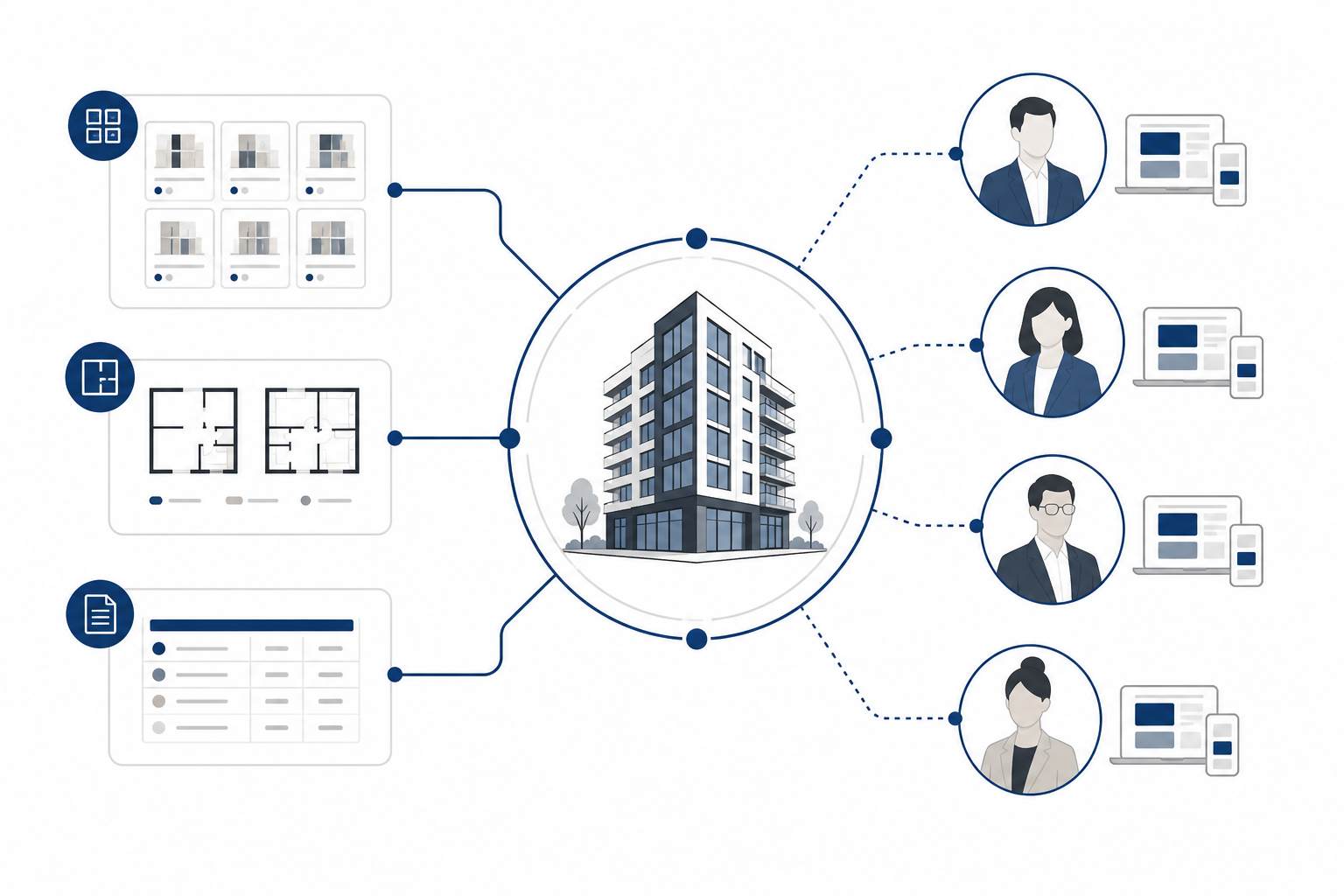
Build the minimum useful portal first
A first release does not need every possible feature. It needs the information and actions brokers use most often, presented in a way that is easy to scan on a laptop or mobile device.
1. Current inventory and availability
Show unit type, size, orientation, floor, price, status, and the date of the latest update. Distinguish clearly between available, on hold, reserved, sold, and temporarily unavailable. If the data is not live, display when it was last verified and identify who can confirm it.
2. Payment plans and commercial information
Payment schedules should be readable, downloadable, and version-controlled. Where a market requires different currency or tax explanations, give brokers approved context rather than asking them to interpret a document themselves. Commercial information can be permission-based if some details are intended only for registered partners.
3. Approved floorplans and project documents
Every file should have a clear name, revision date, and unit or phase reference. Include both a quick preview and a download option. The portal should make it difficult to accidentally share an outdated plan.
4. Brand and campaign assets
Provide logos, images, videos, presentation templates, social formats, and usage guidance. A good asset library tells brokers what each asset is for. It can also reduce the temptation to crop a hero image, rewrite the core positioning, or use an unapproved claim.
5. Project updates and construction progress
A short, dated update is often more useful than a long news post. Give agents approved language for construction milestones, handover expectations, amenity progress, and changes to the launch schedule.
6. Contact and escalation paths
Make it obvious who handles inventory, contracts, technical questions, marketing assets, and urgent buyer requests. The portal should shorten the path to a human answer when automation is not enough.
Connect the portal to the source of truth
A portal becomes risky when it is treated as a second database. If inventory lives in a sales system, CRM, ERP, or dedicated property platform, the portal should use a controlled integration or a documented publishing process. The goal is to avoid asking a coordinator to update five systems by hand.
The MARKETIKA expertise page reflects this broader relationship between web design, sales tools, interactive experiences, CRM integration, and analytics. In practice, a developer may not need a custom platform on day one. A well-designed authenticated section connected to the right source can be more valuable than a technically ambitious system that no one maintains.
Plan permissions early. A registered broker may see availability and approved marketing assets. A preferred partner may see additional commercial information. A sales manager may need reporting and user administration. Internal teams may need to publish updates without giving broad edit access.
Security matters as well. Use individual accounts, sensible password policies, role-based access, and a process for removing inactive users. Avoid treating a shared password as a partner program. A portal that contains buyer or commercial information should be reviewed with the same care as any other sales system.
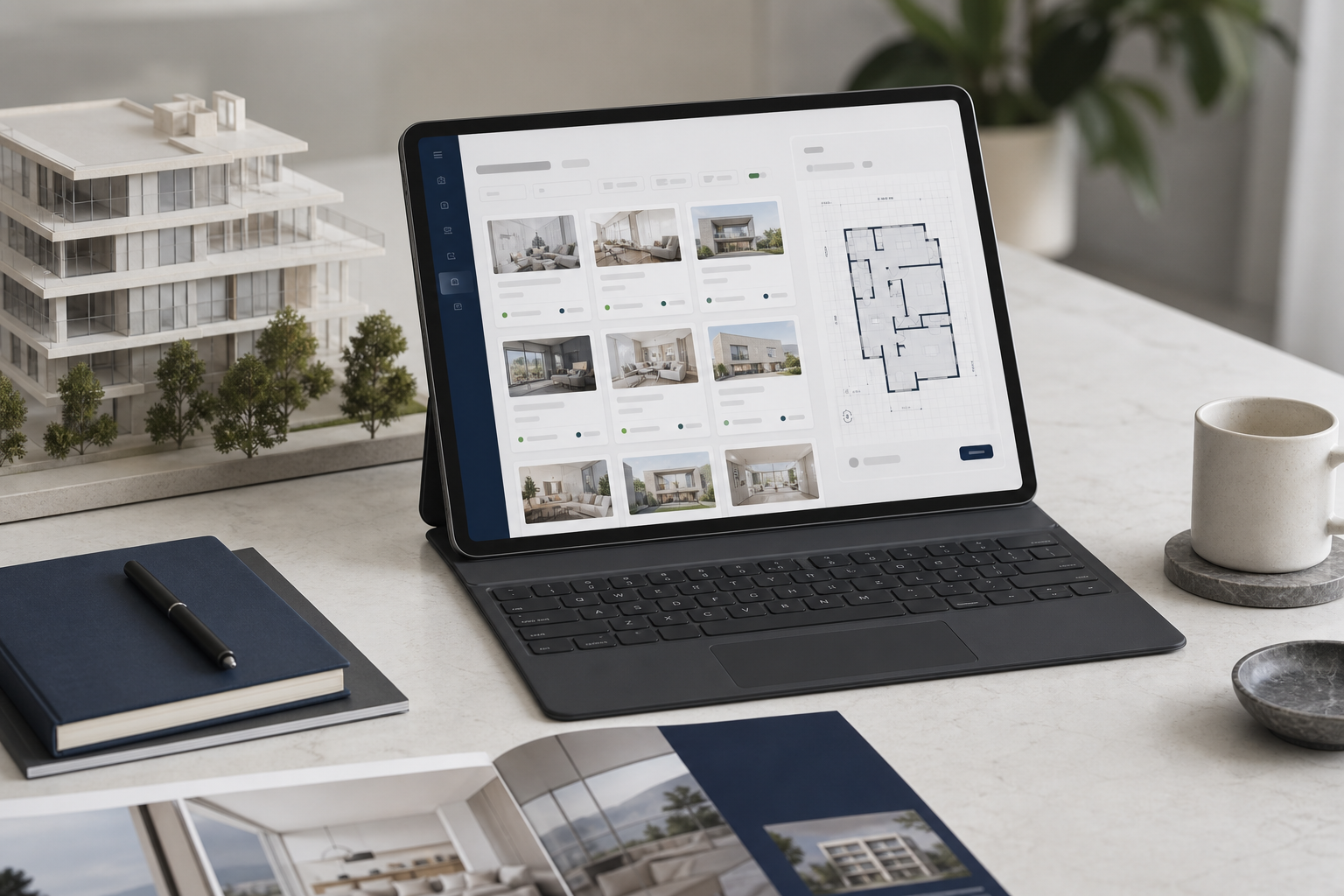
Design around broker jobs, not internal departments
The portal should reflect the questions a broker is trying to answer:
- What can I offer this buyer today?
- Which unit matches the buyer’s budget and requirements?
- Can I send a current floorplan and payment plan now?
- What is the approved way to describe the project?
- How do I register a lead or request a viewing?
- Who can resolve an exception?
This usually produces a clearer navigation model than labels based on internal teams. Start with actions such as “Find availability,” “Download sales assets,” “Register a buyer,” “View updates,” and “Get support.” Keep the most time-sensitive information visible without forcing a broker to open several files.
A search function is useful, but only if the underlying data is structured. Filters for phase, unit type, bedroom count, size, view, price range, and status can turn a long inventory sheet into a decision tool. For a premium project, the interface should still feel calm and considered. It does not need to resemble an enterprise dashboard crowded with every field in the database.
Measure whether the portal is working
A portal is not successful because it launched. Measure whether it changes behavior and reduces friction.
Useful indicators include:
- Percentage of invited brokers who activate their accounts.
- Time between a pricing or inventory update and broker access to it.
- Reduction in repeated questions to the sales team.
- Number of current assets downloaded or shared.
- Frequency of outdated information appearing in buyer conversations.
- Lead registrations, viewing requests, or partner referrals generated through the portal.
- Activity by market, broker group, phase, or campaign.
Do not optimize for logins alone. A broker who logs in once and cannot find a current payment plan has not been served. Combine usage data with sales-team feedback and periodic broker interviews.
When a full custom portal is not necessary
A smaller project may be better served by a controlled resource hub, a private project website, or a structured partner area inside an existing system. Custom development becomes harder to justify when inventory is stable, the broker group is small, the sales cycle is short, or the team cannot assign an owner to content governance.
The alternative is not “do nothing.” Even a simple resource hub should have clear file ownership, version dates, permissions, and a routine for removing outdated assets. A beautiful portal with stale information is worse than a simple system that people trust.
Frequently asked questions
Should brokers see the same information as buyers?
Not always. Brokers may need deeper commercial information, registration rules, commission guidance, comparison tools, and sales assets. Buyer-facing information should remain consistent with the approved public story, while partner-facing information can support the transaction without exposing unnecessary internal detail.
Can a broker portal show live inventory?
Yes, if it is connected to the developer’s inventory or sales system through an appropriate integration. If live synchronization is not possible, publish a visible “last updated” time and create a reliable operating process for verification. Never imply real-time accuracy when the data is manually updated.
Does every developer need a separate portal?
No. The decision depends on broker volume, inventory complexity, geography, update frequency, and the value of sales-team time. The best solution may be a custom portal, a project microsite with a protected section, or an existing CRM and asset-management workflow.
What is the biggest portal mistake?
Building the interface before defining the information owner. Every critical field needs a source, a responsible team, and a review cadence. Without that governance, the portal becomes another place where outdated information can appear.
Final takeaway
A broker portal should make agents faster, more accurate, and more consistent. It should bring current inventory, approved assets, commercial information, and human support into one dependable sales environment. If it only adds another login without improving those outcomes, it is technology without a solution.
For developers planning a launch or restructuring their digital sales system, MARKETIKA’s real estate projects show how websites, interactive tools, CRM integration, and visual communication can work together across the project lifecycle.