



A remote buyer should not have to reconstruct an entire development from scattered PDFs, generic follow-up, and disconnected tools. Whether the buyer is evaluating a pre-construction project in Toronto, a new development in Miami, or an off-plan launch in Dubai, the digital journey needs to provide enough context for a confident next step without requiring an immediate site visit.
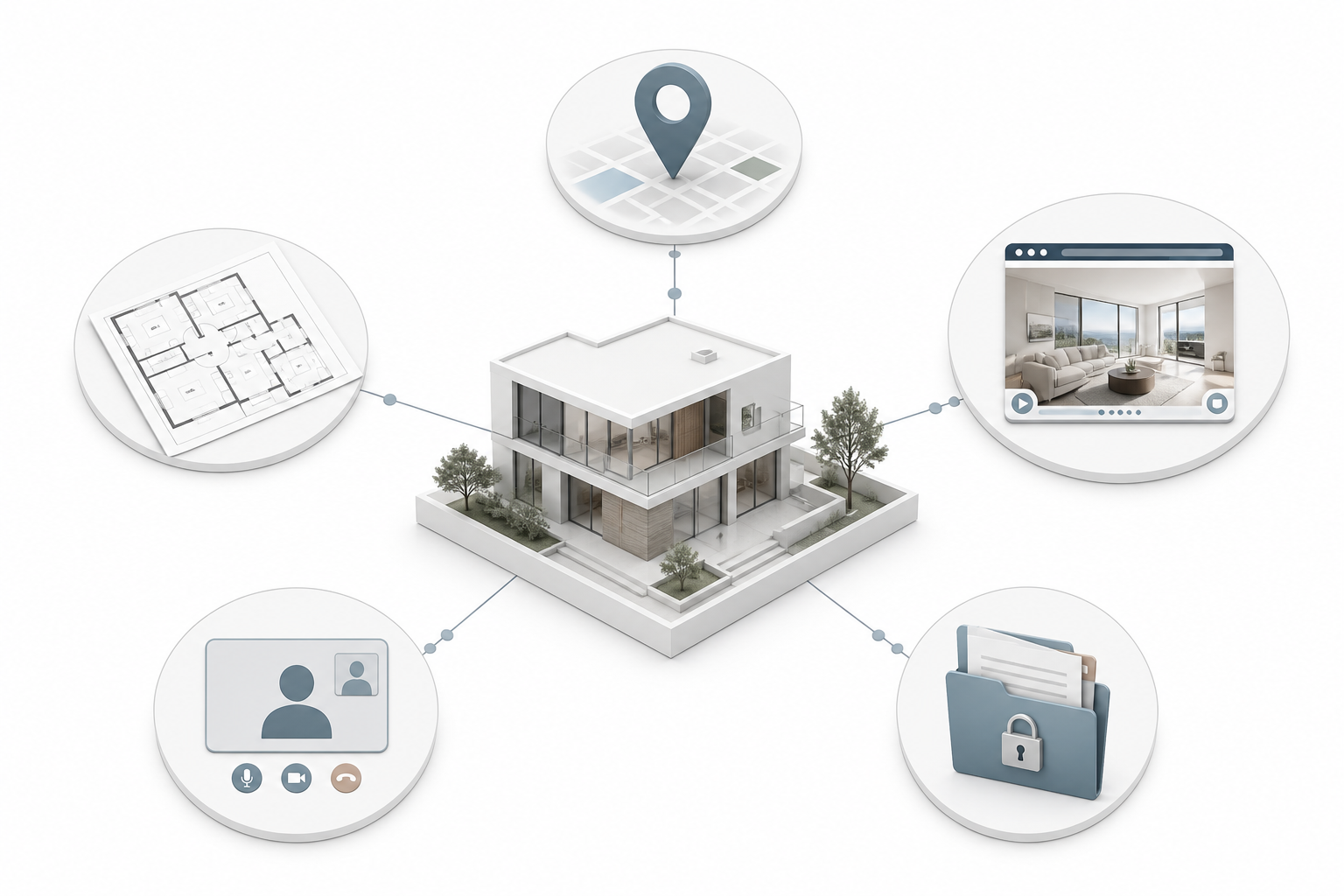
Direct answer: Design the journey around the questions a buyer would normally answer in person: where the project is, what the product feels like, which unit fits, what the financial commitment involves, who the developer is, what happens after enquiry, and how the transaction can progress from a distance. The website, visual assets, sales team, CRM, and document workflow should feel like one coordinated sales environment.
Remote buyers need more than a virtual tour
A virtual tour can show space, but it cannot by itself explain legal process, location, pricing, credibility, availability, or follow-up. Remote buying is not a single feature. It is a sequence of confidence-building moments.
The online search data is a useful reminder of where that sequence begins. In its 2024 Profile of Home Buyers and Sellers, the National Association of REALTORS® reported that 43% of buyers started by looking for properties on the internet, 69% used a mobile or tablet device, and 31% considered floorplans very useful. The report covers U.S. buyers, not every international market, but the behaviour is relevant to any developer selling to people who research before speaking to sales. Read the NAR 2024 buyer-search findings.
Remote buyers also have different costs of uncertainty. A local prospect may be able to drive past the site, visit a sales centre, or return for a second appointment. An overseas buyer may be comparing several cities in one evening. Missing context can remove a project from the shortlist before a salesperson ever gets a chance to help.
Map the journey before choosing the tools
Start by defining the decisions the buyer needs to make. Then assign content, technology, and human support to each decision.
This map prevents a common mistake: buying an immersive tool before deciding what the tool needs to help the buyer understand.
1. Make the location legible from a distance
A map pin is not a location story. Remote buyers need to understand how the project connects to the places and routines that matter to them.
Show the immediate setting, the wider city, practical routes, and meaningful anchors. A family may want schools, parks, and everyday services. An investor may want transport, employment centres, tourism infrastructure, or rental demand context. An international buyer may need a simple explanation of the district before individual amenities mean anything.
Avoid unsupported precision. If travel times depend on traffic, transport phase, or an unbuilt connection, label the assumption. If the project is in a growing district, explain what is already available and what is planned separately. This is a trust issue as much as a content issue.
Location content should work in layers:
- At a glance: city, district, and project relationship.
- In context: nearby neighbourhoods, waterfront, parks, retail, schools, or business areas.
- In practice: routes, access points, airport or station proximity, and daily convenience.
- In meaning: why the location matters for the intended buyer, not just what is nearby.
For a Dubai off-plan project, this may mean explaining the district, major connections, and the relationship to established destinations. For a Canadian pre-construction project, it may mean showing walkability, transit, schools, and the character of the surrounding neighbourhood. The language should match the market instead of copying a generic global template.
2. Make the product understandable without a salesperson
The buyer should be able to move from an attractive exterior to a specific residence or unit type without asking for a custom PDF.
Start with a small number of representative layouts. Make floorplans readable on mobile, include orientation where it affects the decision, and explain what the buyer is looking at. A floorplan is not self-explanatory to everyone. Research in the Journal of Housing and the Built Environment found that representation format influences housing preferences and that floorplans can be useful when combined with other visual and verbal information. Review the study on floorplan representation and apartment preferences.
A useful product layer may include:
- unit type and intended use
- internal and external area, with local measurement conventions explained
- number of bedrooms and bathrooms
- orientation and view logic
- floor level and privacy considerations
- storage, parking, outdoor space, and accessibility
- representative CGI or virtual tour
- indicative availability and next action
The goal is not to expose every possible filter on the first screen. It is to help the buyer narrow the field without losing confidence. If the project has hundreds of units, begin with guided choices such as “compare two-bedroom corner layouts” or “show units with south-facing views,” then allow deeper exploration.
3. Present commercial information as a decision aid
Pricing, payment plans, fees, ownership process, and delivery timing should be accessible before the buyer is asked for extensive personal information. If some information cannot be published, say what the buyer can receive and when.
A remote buyer often needs to compare more than a headline price. Provide:
- what the quoted price includes
- the payment sequence and triggers
- taxes, transfer costs, service charges, or other known costs
- reservation and contract steps
- expected delivery or handover timing
- financing or mortgage context, where relevant
- currency and exchange-rate caveats for international buyers
- a named next step for questions
For U.S. mortgage transactions, the Consumer Financial Protection Bureau's Know Before You Owe mortgage materials show how standardized forms such as the Loan Estimate and Closing Disclosure are intended to make key costs and terms easier to compare. A developer's project website is not a substitute for lender or legal documents, but the principle is useful: present important commercial information in a form that supports comparison rather than hiding it in a long attachment.
4. Keep a human in the journey
High-value purchases still need human reassurance. The purpose of digital design is not to remove sales. It is to make the sales conversation more informed and less repetitive.
Offer clear options for different levels of intent:
- a short form for a brochure or initial enquiry
- a unit-specific request for pricing or availability
- a scheduled video consultation
- a click-to-call or WhatsApp option where appropriate
- an email route for buyers who need to share documents or questions
- a guided presentation for brokers, families, or multiple decision-makers
The confirmation experience matters. Tell the buyer who will respond, through which channel, and within what general timeframe. If the buyer selected a unit or downloaded a payment plan, that context should follow the enquiry into the CRM. A generic “thanks, we will be in touch” message makes a high-consideration purchase feel like a low-context lead form.
Sales teams also need a presentation environment that works remotely. They should be able to share the same approved visuals, floorplans, availability, and payment information that the buyer saw online. A remote call becomes much stronger when the salesperson can discuss the exact layout, orientation, and next step instead of restarting the explanation from a blank screen.

5. Make transaction readiness visible
The website does not need to promise that every purchase can be completed online. Legal, identity, banking, and signing requirements vary by jurisdiction and transaction type. It should, however, make the path visible.
Explain the sequence in plain language:
- enquiry or consultation
- unit selection and confirmation
- reservation or expression of interest, if applicable
- identity and source-of-funds checks, where required
- review of the sale agreement
- payment and signing
- registration, closing, or handover steps
Tell the buyer which steps require a lawyer, notary, lender, broker, or in-person verification. International buyers appreciate boundaries because they can plan around them. Clarity is more reassuring than an overconfident promise of a frictionless digital transaction.
Document handling also needs discipline. Use consistent file names, current versions, controlled access, and a clear contact for questions. Never let the website, sales deck, and contract summary show different prices, areas, payment stages, or completion dates.
6. Design for geography, language, and time zones
A remote journey is never truly global by default. It has to be adapted to the markets from which buyers are arriving.
In the UAE, fast messaging, clear project registration information, and strong visual presentation may be central to the early sales path. In the USA, buyers may expect a combination of project education, broker coordination, mortgage context, and form-based follow-up. In Canada, pre-construction buyers often need detailed product explanation, local terminology, and confidence around the timeline and purchasing process.
Localization goes beyond translation. Review:
- terminology for pre-construction or off-plan sales
- currency and unit measurement
- spelling and legal language
- contact channels
- business hours and time-zone coverage
- proof points that matter in the market
- whether a buyer is an end user, investor, broker, or family decision group
A translated page with a broken form or a sales team that only responds during the buyer's night is not a localized journey.
7. Connect behaviour to follow-up
The CRM should retain useful context, not just a name and email address. At minimum, capture the project, source, country or region where appropriate, unit type or content viewed, preferred contact method, and stated intent.
Useful events may include:
- viewing a specific unit or floorplan
- opening a payment-plan section
- starting a virtual tour
- requesting a brochure
- booking a call
- returning after a retargeting ad
- asking for availability or pricing
This information should influence routing and follow-up. Someone who asked about a specific two-bedroom layout should not receive the same first response as someone who only watched a brand video. This connected approach reflects the logic in MARKETIKA's guide to high-converting real estate project websites, where web experience, lead capture, CRM context, and sales progression are treated as one system.
What usually breaks the remote journey?
The same weaknesses appear across many developments:
- beautiful visuals with no clear product explanation
- a location section that only shows a pin
- floorplans that require a desktop or a PDF download
- pricing hidden until after a long registration form
- different information across website, brochure, and sales deck
- generic follow-up that ignores the buyer's behaviour
- no response path for international time zones
- legal or transaction steps described too vaguely
- third-party tools that feel unrelated to the project brand
Run the complete journey on a phone and from another country. Click an ad, explore a unit, request information, submit a form, and wait for the follow-up. The audit should include what happens outside office hours. Friction that is invisible to the internal team is often obvious to the remote buyer.
FAQ
Can a buyer purchase real estate entirely online?
Sometimes, but the answer depends on the market, property type, transaction, identity requirements, financing, and legal process. The website should explain which steps are digital and which require professional or in-person involvement.
Are virtual tours enough for remote buyers?
No. They help buyers understand space and flow, but they do not replace location context, floorplans, availability, commercial clarity, developer proof, or human follow-up.
What is the most important remote-buyer feature?
There is no single feature. The highest-value improvement is usually continuity between project explanation, product exploration, enquiry, and sales response. A modest set of connected tools is better than an impressive but fragmented stack.
Should a developer show live availability?
If the data is accurate, governed, and connected to the sales workflow, live or near-live availability can reduce uncertainty. If it cannot be maintained, show a clear “confirm current availability” path instead of publishing stale information.
How quickly should sales follow up?
Set a response standard that reflects the value of the lead and the time zones involved. More important than an arbitrary promise is that the buyer knows what happens next and that sales receives the context of the enquiry.
Final takeaway
Remote buyers do not expect the website to replace every professional involved in a property transaction. They do expect it to help them understand the project before they commit time, money, or personal information.
A strong journey makes location, product, commercial terms, trust, human support, and transaction steps visible in the right order. When the same logic carries from the project site into the CRM and the sales presentation, distance becomes a manageable condition instead of a reason to hesitate.