



The sales centre and project website should feel like two expressions of one project, not two unrelated presentations. That means the positioning, visual language, product information, interaction logic, and sales language should be aligned, while each channel remains optimized for its own context.
A buyer may see an advertisement, browse a project website, save a floorplan, speak to a sales advisor, and walk into a gallery days later. The buyer does not experience those as separate departments. They experience one developing impression of the project. Every handoff either strengthens that impression or introduces doubt.
Nielsen Norman Group describes consistency as one of the core components of a successful omnichannel experience. Its research also emphasizes that users expect organizations to maintain coherent content, visual design, workflows, and data as they move between channels. That principle applies directly to real estate, where the website and sales centre often carry the highest concentration of brand, product, and commercial information.
Buyers do not separate channels the way internal teams do
Internal teams naturally divide responsibility. Marketing owns the campaign, digital owns the website, sales owns the gallery, and development or product teams own the inventory. The buyer sees none of those boundaries.
The buyer sees a promise. The promise may begin in a paid ad or a broker presentation, become more tangible on the website, and then be tested in the sales centre. If the project feels more premium online than it does in person, or if the sales advisor uses a different story from the website, the buyer has to reconcile the conflict.
That is especially important for high-consideration purchases. The website may create interest, but the sales centre often becomes the place where a buyer evaluates whether the project is credible, understandable, and worth continuing with. The experience should therefore be designed as a journey rather than as a collection of assets.
Align the project story before designing the touchpoints
The first shared layer is positioning. Every major touchpoint should answer the same basic questions:
- What is the project?
- Who is it designed for?
- What is distinctive about its location, design, or offer?
- Why should a buyer believe the promise?
- What should the buyer understand or do next?
The wording does not have to be identical on a website and in a sales presentation. The logic should be. A family-oriented community should not sound like a speculative investment product in one channel and a wellness retreat in another. A design-led urban residence should not use one visual story online and a generic property brochure in the gallery.
This is why a developer brand needs more than a logo. The Real Estate Developer Branding Blueprint frames branding as a system of positioning, identity, story, and digital expression. That system gives the website and sales centre a common foundation before the execution begins.
Build one visual language, not identical screens
Consistency does not mean copying a website onto a wall-sized display. A website is usually navigated alone, often on a small screen, while a sales centre experience may be guided by an advisor, explored by a group, or viewed from several metres away.
The shared visual language can include:
- The same primary colours, typography, and material palette
- A consistent approach to CGI lighting, photography, and architectural framing
- Repeated map, icon, and diagram conventions
- The same tone of voice in headings, labels, and calls to action
- A recognizable hierarchy for project, building, unit, and amenity information
The sales centre can then adapt those elements to the context. Type becomes larger. Interactions become touch-friendly. Information may be presented in a guided sequence. A physical model, material sample, or view simulation can add dimensions that do not belong on the public website.
The test is simple: if a buyer sees a screen in the gallery and immediately recognizes the project they researched online, the system is working. If the gallery looks like it belongs to a different development, the brand loses continuity.
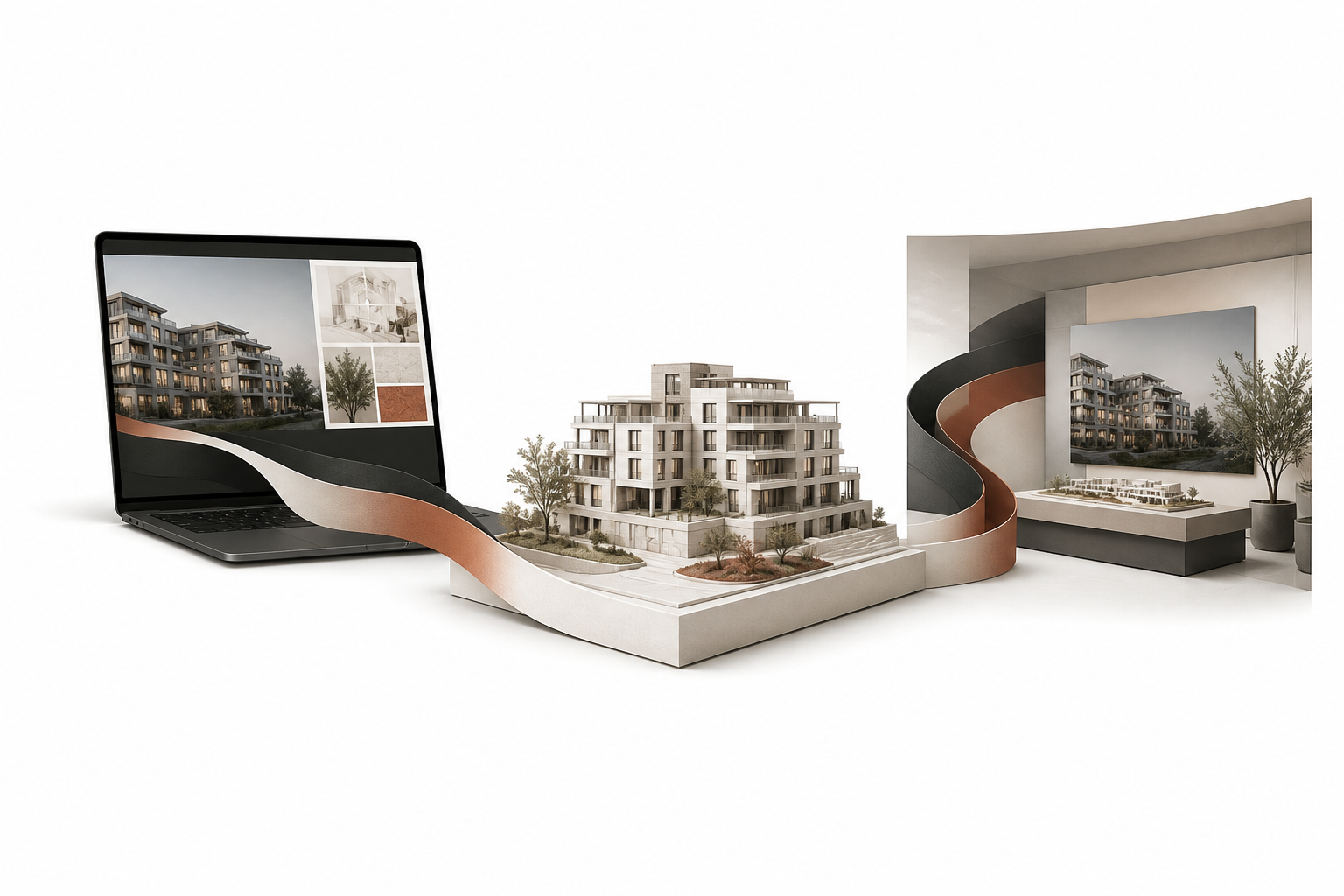
One visual system can connect the website, physical model, and presentation environment without making every touchpoint identical.
Protect product truth across every channel
The most damaging inconsistency is often not visual. It is factual.
Floorplans, unit status, pricing guidance, specifications, payment plans, delivery information, views, and amenities need a shared source of truth. If the website shows one availability state and the sales centre shows another, the buyer is forced to question both. The same is true when a presentation uses older CGI, a changed floorplan, or an outdated description of the amenities.
Create a controlled project information layer that records:
- Current unit status and pricing rules
- Approved floorplans, dimensions, and specifications
- The latest masterplan, amenity list, and location information
- Construction or delivery updates that are safe to communicate
- Legal, ownership, or disclosure language relevant to the market
- Version dates and owners for every major asset
The goal is not to make every team use one tool. It is to make every team work from the same approved information. A website connected to a reliable CRM or inventory workflow can support that system, but process ownership matters as much as technology.
Carry context from the website into the sales conversation
A buyer should not have to start again when they arrive at the sales centre. If they viewed a two-bedroom corner unit, compared two floorplans, or requested pricing for a specific building, that context should be available to the sales team when appropriate.
This can be as simple as a form that records the viewed unit, a booking flow that captures the preferred building, or a QR code that lets the buyer reopen a saved project path. In a more advanced setup, the website, unit selector, appointment system, and CRM share the same project and inventory data.
The benefit is not surveillance. It is continuity. The advisor can begin with a relevant question instead of repeating the entire introduction: “Would you like to continue comparing the two corner layouts you saved?” That feels more helpful and makes the sales conversation more specific.
MARKETIKA’s project website and interactive sales experience portfolio illustrates why web design, visualization, and sales tools work best when they are planned as one system. The same project logic can support a public site, a guided presentation, and a physical sales environment.
Give sales teams the language to deliver the promise
A website can be visually consistent with a sales centre while the spoken experience still feels disconnected. Sales advisors need more than a brochure. They need a clear narrative, approved proof points, and a shared way to explain the project.
Create a compact sales enablement system that includes:
- A one-page positioning summary with the audience, promise, and reasons to believe.
- A short story sequence for first-time visitors, investors, end users, and brokers.
- Approved answers to recurring questions about the location, product, price, delivery, and next steps.
- Guidance on which visuals or interactive tools best explain each point.
- Rules for discussing availability, urgency, incentives, and future phases.
- A process for reporting new objections or repeated buyer questions back to marketing.
This does not turn advisors into scripts. It gives them a reliable foundation. They can adapt the conversation while protecting the core project story.
Use the same digital building blocks in both places
The most efficient systems reuse the right assets instead of creating a separate version of every experience. A unit selector, masterplan, virtual tour, or project presentation can be designed with multiple contexts in mind.
Online, the visitor may explore independently. In the sales centre, the advisor may control the pace and open deeper layers. A buyer may begin on a mobile phone, continue on a large touchscreen, and receive a link to the same unit detail afterward.
The shared component should still respect context. A touchscreen may need fewer simultaneous choices. A public page may need more explanation and accessibility support. A guided presentation may include internal notes that should never appear on the public website. Reuse the underlying system, not every screen unchanged.

Interactive tools are most valuable when the buyer can continue the same project journey online and in person.
Audit the entire journey as a buyer
A cross-channel audit should follow the actual path, not only inspect each asset in isolation. Ask a small group of people to complete the journey and record where confidence rises or falls:
- See a campaign or broker message.
- Open the project website on a phone.
- Find the location, product, and relevant floorplan.
- Submit an enquiry or book a presentation.
- Receive the confirmation and follow-up.
- Arrive at the sales centre.
- Continue the conversation with a sales advisor.
- Receive the next project information after the visit.
At each step, compare the promise, visual cues, facts, terminology, and call to action. Look for small mismatches: a different project name, an unexplained change in price format, a missing unit type, a map that uses another orientation, or a sales presentation that cannot open the same floorplan a buyer saved online.
Nielsen Norman Group’s guidance on omnichannel consistency and seamless cross-channel experiences is useful here. The core idea is that transitions should require as little reorientation and repeated work as possible.
Assign ownership for continuity
Consistency fails when everyone is responsible in theory and no one is responsible in practice. Assign an owner for the project story, an owner for product data, an owner for visual assets, and an owner for the handoff between marketing and sales.
A short weekly or twice-weekly launch review can cover:
- New buyer questions and objections
- Changes to inventory, pricing, or specifications
- Updates to CGI, maps, or construction information
- Website and sales-centre issues reported by the team
- Upcoming campaigns or events that need new materials
- Assets that need versioning or withdrawal
For larger launches, keep a simple change log and approval path. For smaller launches, a shared project brief and disciplined review may be enough. The level of process should match the risk of inconsistency, not the size of the organization.
Know what can change by market and channel
A coherent project experience can still be localized. A UAE sales centre may prioritize WhatsApp, multilingual support, and a fast presentation of payment-plan logic. A US project may need stronger brokerage coordination, local market education, and clear financing context. A Canadian pre-construction project may need different terminology, disclosure, and buyer expectations.
Localization should change the explanation, not the identity of the project. The visual system, core promise, product truth, and next-step logic should remain recognizable while the details fit the market.
Measure continuity, not only channel performance
A website conversion rate and a sales-centre visitor count are useful, but they do not show whether the system works together. Add cross-channel measures such as:
- Campaign-to-website message match
- Percentage of appointments where the buyer arrives with a known project or unit interest
- Number of data mismatches reported between website and sales materials
- Time required to update an approved product change across channels
- Reuse rate of core visuals and interactive assets
- Follow-up engagement after a sales-centre visit
- Lead-to-appointment progression by source and project experience
The objective is not to make every touchpoint look the same. It is to remove avoidable uncertainty and preserve the buyer’s context as they move closer to a decision.
Frequently asked questions
Does every touchpoint need to look identical?
No. A website, sales gallery, brochure, presentation, and mobile follow-up have different jobs. They should share a recognizable project story, visual language, product truth, and next-step logic while adapting their format to the setting.
Who should own consistency?
Marketing, sales, development, and project leadership should share the responsibility, with named owners for brand, product data, assets, and handoffs. One department cannot control the entire journey alone.
Can inconsistency really affect conversion?
Yes. Conflicting information or a sudden drop in visual quality creates friction and can weaken confidence in a major purchase. The effect is often indirect: buyers ask more basic questions, delay the next step, or compare the project more aggressively on price.
Final takeaway
A premium development should feel like the same project whether a buyer is browsing on a phone, standing in a sales gallery, or speaking with an advisor. Align the story, build a shared visual system, protect product truth, preserve buyer context, and give every team the tools to deliver the promise. The result is not uniformity for its own sake. It is a smoother and more credible path from interest to action.