



A digital sales room is a controlled online environment where qualified buyers, brokers, and sales teams can access the current information needed to evaluate a development. It brings project storytelling, floorplans, unit availability, pricing context, payment plans, specifications, documents, and next steps into one organised experience.
The important distinction is that a digital sales room is not simply a folder of PDFs with a more polished interface. It is a sales environment designed to reduce uncertainty after initial interest. For a developer, that means fewer disconnected conversations and a clearer path from project discovery to unit selection, consultation, and reservation.
That role is becoming more important as buyers research independently before speaking with sales. In the National Association of REALTORS 2024 home buyer data, 43% of buyers said their first step was to look for properties online, 69% used a mobile or tablet device, and 31% considered floorplans very useful. Those figures describe the wider residential market, but the lesson applies directly to high-consideration new developments: digital information must help people understand the product before the sales conversation begins.
Why email attachments and scattered links break down
A development launch can generate a surprising number of files. There may be a brochure, a price list, several floorplate PDFs, payment-plan spreadsheets, finish schedules, CGI renders, legal notes, availability exports, and separate links for virtual tours or appointment booking.
At the beginning, sending these materials by email feels efficient. Over time, the system becomes difficult to control:
- Buyers may receive an older price list after availability has changed.
- Brokers may circulate a PDF with superseded floorplans.
- Sales consultants spend time explaining where information lives instead of helping buyers compare options.
- Marketing, sales, and development teams may use different descriptions for the same project.
- Follow-up becomes generic because the team cannot see which materials or units a buyer explored.
The problem is not that PDFs are useless. Brochures, plans, and specifications still have a place in the process. The problem is that static files are rarely a complete decision environment. A digital sales room gives those files context, permissions, and a current home.
What a digital sales room should contain
The strongest sales rooms are built around buyer questions rather than an inventory of features. A buyer should be able to answer five practical questions without hunting through separate channels:
- What is this development and why does it matter?
- Which residence or unit type could fit my needs?
- What are the important differences between the available options?
- What evidence supports the developer, design, and delivery promise?
- What is the clearest next step if I want to continue?
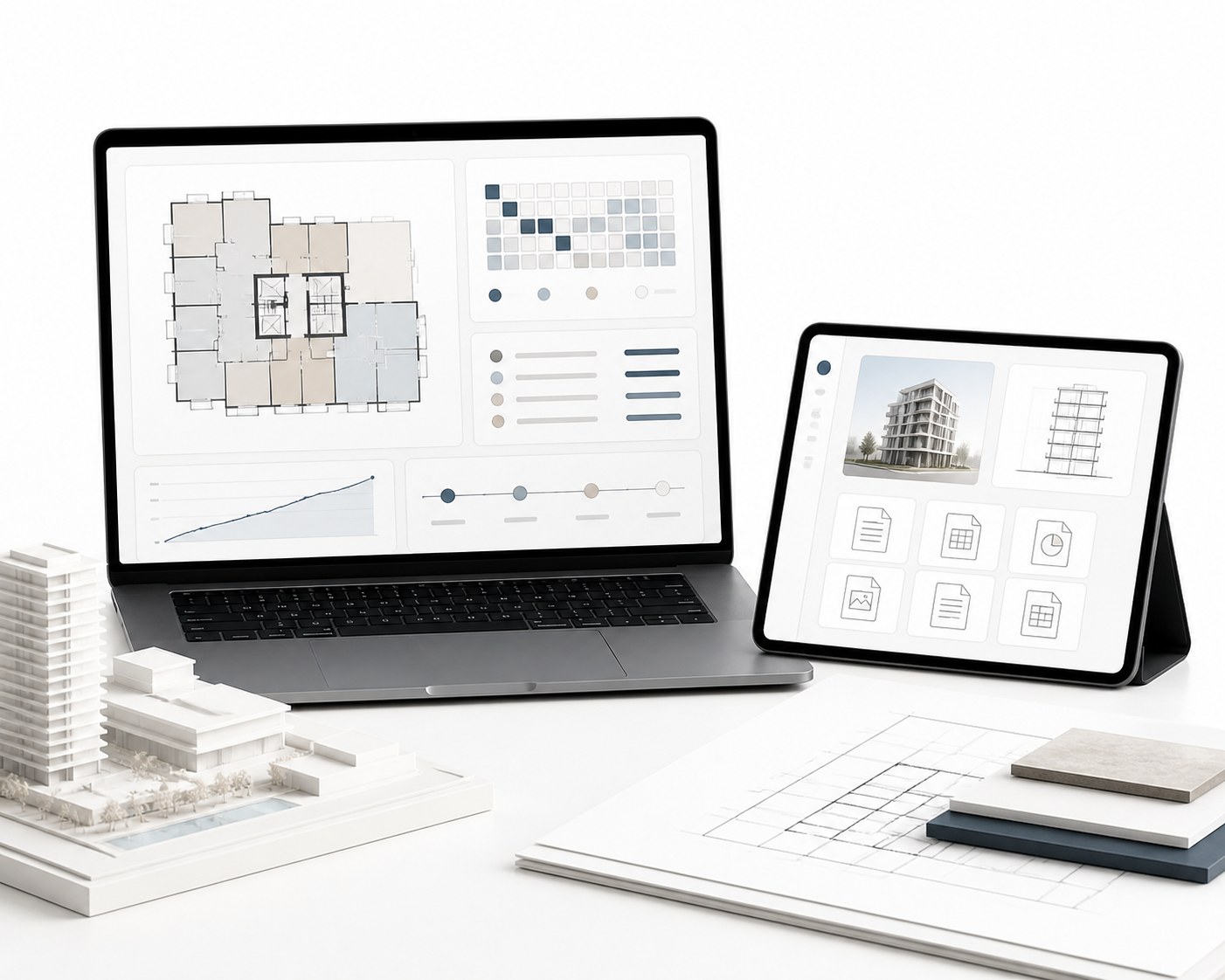
1. A clear project narrative
Start with a concise explanation of the project, location, audience, architecture, and value proposition. The narrative should help a buyer understand the development before asking them to compare units.
This is where brand and sales enablement meet. A premium project should not force visitors to assemble the story from disconnected renders and feature lists. The digital environment should explain the place, the product, and the reason to believe in the developer.
2. Unit discovery and comparison
For a multi-unit project, the room should make it easy to move from the masterplan to a building, floor, stack, or specific residence. Useful functions can include:
- Filtering by unit type, bedroom count, size, floor, view, orientation, or price band.
- Opening a current floorplan without downloading multiple files.
- Comparing two or three shortlisted residences side by side.
- Showing orientation, views, sunlight logic, or proximity to amenities where relevant.
- Connecting the selected unit to a current status such as available, reserved, or sold.
Not every project needs a complex 3D selector. The right level of interaction depends on the number of units, the importance of views and orientation, and how much comparison buyers need before contacting sales.
3. Commercial and specification information
Buyers need enough commercial context to decide whether a conversation is worth having. Depending on the market and the stage of the project, this may include price ranges, payment-plan structure, service-charge guidance, deposit milestones, finish packages, parking, storage, and expected delivery information.
Information that is not final should be labelled clearly. A pre-launch room can still be useful when pricing is not approved, but it should present registration, early access, or a consultation as the next step rather than implying that a fluid figure is final.
4. Proof and confidence signals
The room should also answer the trust questions that sit behind a property decision:
- Who is the developer?
- What has the team delivered before?
- Which architects, designers, consultants, or operators are involved?
- What is the current construction or approval context?
- Which specifications and representations are confirmed?
This is not a request to fill the interface with corporate copy. It is a reason to place relevant proof close to the decision points where uncertainty is highest.
5. Documents and next steps
Documents should be grouped by purpose and audience. A broker may need a current availability sheet and commission information. A qualified buyer may need a detailed specification, payment plan, reservation guide, or legal disclaimer. A general visitor may only need a brochure and an invitation to speak with sales.
Every major section should lead naturally to an action, such as requesting current pricing, booking a presentation, comparing units with an advisor, or starting a remote consultation.
Access should match the information being shared
A digital sales room does not always need one universal login. Access can be designed around the sensitivity of the information and the stage of the relationship.
A public layer can introduce the project, location, visuals, amenities, and broad product logic. A gated layer can provide detailed brochures or current availability after a buyer has registered. A broker layer can expose channel-specific materials. A buyer-specific room can preserve a shortlist, conversation history, documents, and follow-up actions.
The principle is simple: ask for access details when they create a clear benefit for the buyer or the sales process. Do not hide basic project understanding behind an unnecessary form.
For international launches, the access model should also consider language, time zones, and preferred contact methods. In the UAE, a fast handoff to WhatsApp may be natural for an off-plan enquiry. In the USA, a buyer may expect an email-first consultation flow for a new development. In Canada, pre-construction buyers may need a longer research path and clearer document context, with presale terminology used where it fits a British Columbia audience.
The real value is a single source of truth
The interface is visible, but governance creates the commercial value. A digital sales room works when the team can trust that the information is current.
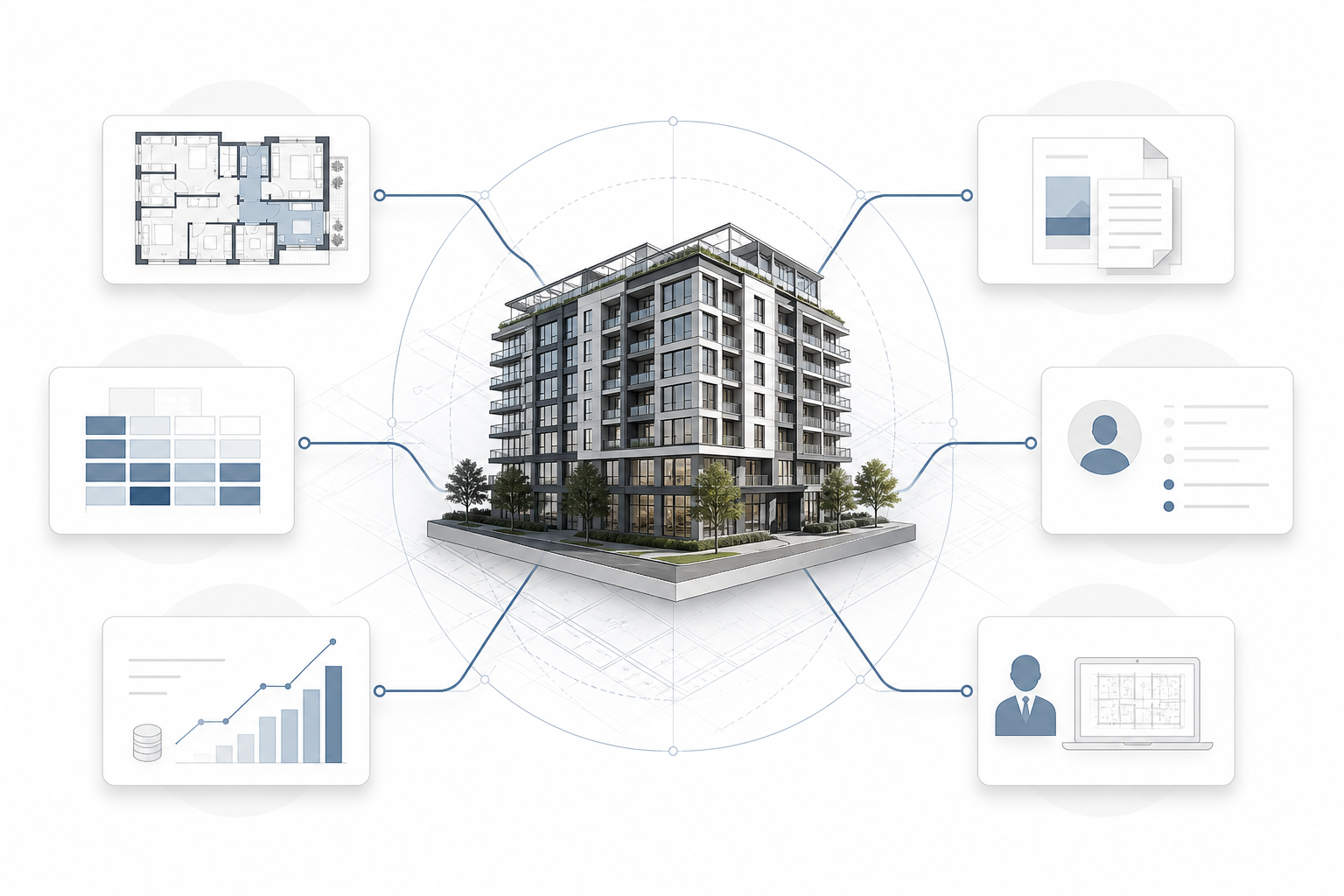
Before launch, define who owns each information layer. Development or project teams may own approved specifications. Sales operations may own availability. Finance may approve payment-plan language. Marketing may own the story, visual system, and public-facing content. The system should also record when a price list, floorplan, or status feed was updated.
A simple content governance routine can include:
- One named owner for each data type.
- A change log for pricing, availability, plans, and key dates.
- A review date for documents that are not connected to live data.
- A clear archive process for superseded files.
- Approval rules for what can be public, gated, broker-only, or buyer-specific.
This discipline is often more important than adding another interactive feature. A beautiful room with outdated information creates more risk than a simpler room that people can trust.
How a sales team can use the room
A useful digital sales room supports three stages of the conversation.
Before the meeting: A sales advisor can share a project link or a buyer-specific shortlist. The prospect arrives with a basic understanding of the development, which makes the first conversation more productive.
During the meeting: The advisor can compare units, open the relevant plan, show the view or amenity context, and answer questions in one environment instead of switching between files.
After the meeting: The buyer can return to the same shortlist, review the documents discussed, and book the next step. The sales team can follow up with context instead of sending a generic “just checking in” message.
This is where a developer-focused partner can add value across brand, web, 3D, and sales workflow. MARKETIKA’s expertise for real estate developers includes web design, interactive 3D experiences, virtual tours, and lead-generation systems. The broader MARKÉTIKA technology stack also shows why analytics, mobile delivery, UX, and conversion logic need to be planned together rather than added at the end.
Privacy, security, and accessibility are part of the experience
Sales rooms may handle personal information, budgets, contact preferences, and in some cases sensitive documents. The room should therefore use role-based access, secure transmission, sensible retention, and clear ownership of third-party integrations.
The Federal Trade Commission’s guide to protecting personal information recommends taking stock of the information held, keeping only what is needed, restricting access, and planning for secure disposal. For Canadian operations, the Office of the Privacy Commissioner’s guidance on meaningful consent is a useful reminder that people should understand what is collected, why it is collected, and how they can control their choices. Legal requirements vary by location, so the implementation should be reviewed with appropriate counsel.
Accessibility also needs to be planned from the beginning. Interactive maps, floorplans, motion, and touch interfaces should have usable alternatives, clear focus states, readable contrast, keyboard support where applicable, and mobile layouts that preserve the core information. The W3C Web Content Accessibility Guidelines 2.2 provide an international reference for making interactive content more perceivable, operable, understandable, and robust.
How to measure whether the room is helping
Do not judge the experience by time spent alone. A visitor may spend ten minutes because the interface is helpful, or because the information is difficult to find. More useful signals include:
- Which project sections and unit types are explored.
- Which floorplans or availability filters are opened.
- Whether a buyer returns to a saved shortlist.
- Which documents are viewed or downloaded.
- Whether a visitor requests current pricing or a presentation.
- Which interactions lead to a qualified sales conversation.
The goal is not to track every click. The goal is to understand where the buyer is moving from general interest toward a specific, informed decision.
Frequently asked questions
Is a digital sales room the same as a buyer portal?
Not necessarily. A digital sales room usually supports prospects, brokers, and active sales conversations before a purchase. A buyer portal generally continues after reservation or purchase with construction updates, payments, documents, and service communication. The two can share technology, but their audiences and permissions are different.
Does a digital sales room need a login?
No. Public, gated, role-based, and buyer-specific access can all be appropriate. The decision should follow the sensitivity of the information and the value created by identifying the user.
Does it replace a CRM?
No. The room should support the CRM by preserving useful context, such as the project, units explored, source channel, and next action. The CRM remains the place for lead ownership, follow-up, and pipeline management.
Can developers launch one before pricing is final?
Yes, if the room clearly separates approved information from early-stage information. The website can establish the project story, location, design direction, and registration path without presenting provisional pricing or unapproved plans as final. MARKETIKA explains this approach in its guide to what a project website needs before pricing is final.
Final takeaway
A digital sales room is useful when a real estate sales process has outgrown scattered PDFs, repeated explanations, and disconnected links. Its purpose is not to make the interface look more advanced. Its purpose is to make the project easier to understand, the information easier to trust, and the next sales conversation more relevant.
For UAE off-plan launches, USA new developments, and Canadian pre-construction or presale projects, the strongest rooms connect narrative, product clarity, current data, visual proof, access control, and follow-up. That is what turns a collection of sales materials into a dependable digital sales environment.